
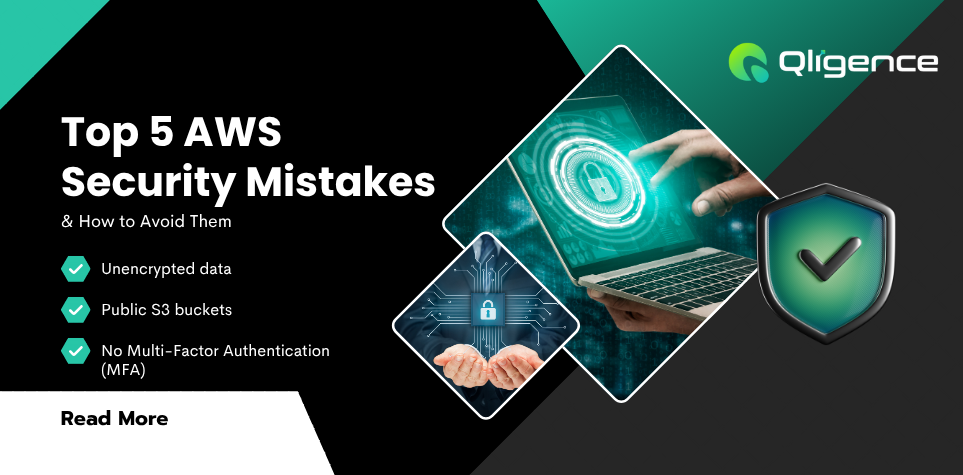
Check Top 5 AWS setup Mistakes
“Just because it’s in the cloud doesn’t mean it’s automatically secure.”
That’s a tough pill to swallow for many businesses. AWS powers everything from tiny startups to global enterprises—but with great power comes great responsibility. And yes, that includes security.
While AWS is packed with built-in security features, misconfigurations on the user side are shockingly common. Case in point? Around 46% of S3 buckets are misconfigured, potentially exposing sensitive data to the public internet.
In this post, we’ll walk you through five common AWS security mistakes, how to spot them, and what you can do to keep your cloud environment locked down.
How Secure Is AWS Really?
Let’s get one thing straight: AWS is secure by design. But it’s not foolproof.
AWS uses a shared responsibility model—which means Amazon secures the infrastructure, but you’re responsible for what you put on it. The more control you have over a service, the more security decisions fall on your plate.
For example, Amazon EC2 (a flexible IaaS offering) gives you full control—but that also means you need to manage firewalls, access, and encryption settings. Meanwhile, services like Elastic Beanstalk handle more for you, but you’re still not off the hook.
Now let’s talk about what can go wrong—fast.
1. Storing Data Without Encryption
Data encryption is your last line of defense. If someone gains unauthorized access, encryption makes the data useless.
-
S3 buckets support several types of server-side encryption—but users still forget to enable them.
-
EBS volumes (used with EC2) also support encryption at rest and in transit—but again, you have to turn it on manually.
Fix it: Always enable encryption. Use AWS Key Management Service (KMS) to manage your encryption keys.
2. Making S3 Buckets Public (Often by Accident)
This is one of the most frequent AWS security blunders. By default, S3 buckets are private—but a few clicks can expose them to the entire internet.
Sometimes this happens by mistake. Sometimes it’s done for convenience. Either way, it's a serious risk.
Fix it: Audit your S3 buckets regularly. Use AWS’s built-in tools like Bucket Policy Checks and Access Analyzer to catch public buckets before they become liabilities.
3. Assigning Public IPs to EC2 Instances
Yes, some EC2 instances need internet access—like web servers. But many don’t.
For example, databases should never be directly exposed to the internet. Yet many developers assign public IPs just to make setup easier. That’s a disaster waiting to happen.
Fix it: Use private subnets for backend services. Route traffic through NAT gateways or application load balancers.
4. Leaving Insecure Ports Wide Open
Some ports are magnets for hackers. Ports like FTP (21), Telnet (23), and SNMP (161) are known to be insecure and often left open unnecessarily.
Even secure ports like SSH (22) can become attack vectors if left unprotected.
Fix it:
-
Block unused ports using Security Groups and Network ACLs.
-
Use VPNs, bastion hosts, or SSH key-based authentication to manage access.
5. Skipping Multi-Factor Authentication (MFA)
AWS lets users log in with just a username and password—but that’s not enough.
If those credentials are leaked or guessed, attackers could walk right into your environment. MFA can stop that.
Fix it: Require MFA for all IAM users and use hardware keys or authenticator apps for added protection.
How to Spot These Issues in Your Environment
There are two ways to figure out if your AWS setup is at risk:
-
Do it manually: Go through each service, check settings, review permissions, and run tests. It’s time-consuming and requires expertise.
-
Automate it with tools like the KirkpatrickPrice AWS Scanner. It performs 50+ automated security checks, including all the mistakes we’ve discussed here.
Final Thoughts
AWS security isn’t about flipping a few switches and hoping for the best. It’s about understanding your shared responsibilities, reviewing configurations regularly, and staying proactive.
You don’t have to do it alone. Whether you’re looking to tighten your existing infrastructure or audit a new project, automated tools and expert guidance can make all the difference.




![What’s Your Most-Used App Right Now? [Top Mobile App Trends in 2025]](https://qligence.com/uploads/blog/20250506-6819f6d95190b.png)